Progressive Disclosure
Learn how to reveal information step-by-step, keeping the interface uncluttered and ensuring users focus on what’s relevant at each moment.
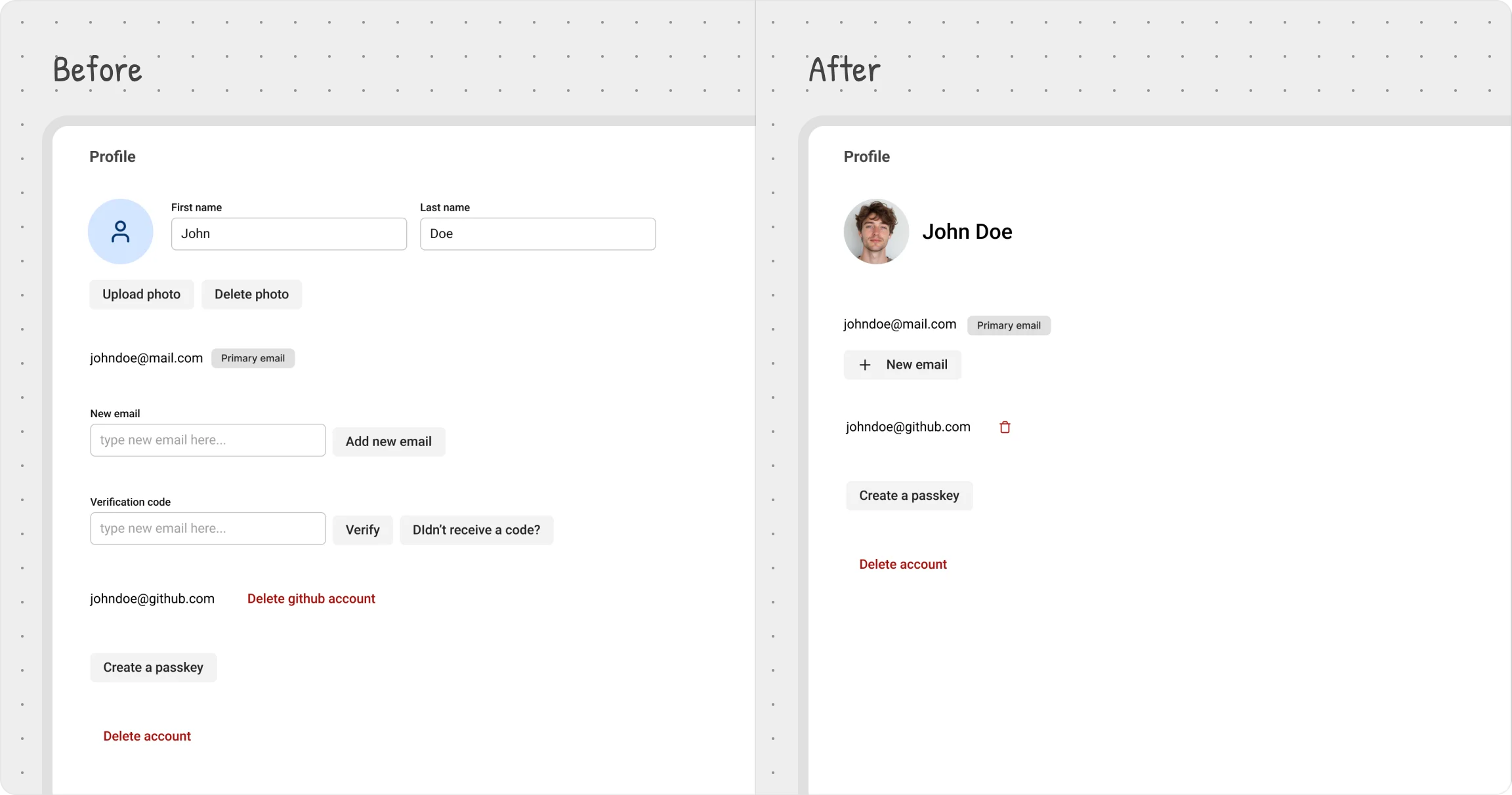
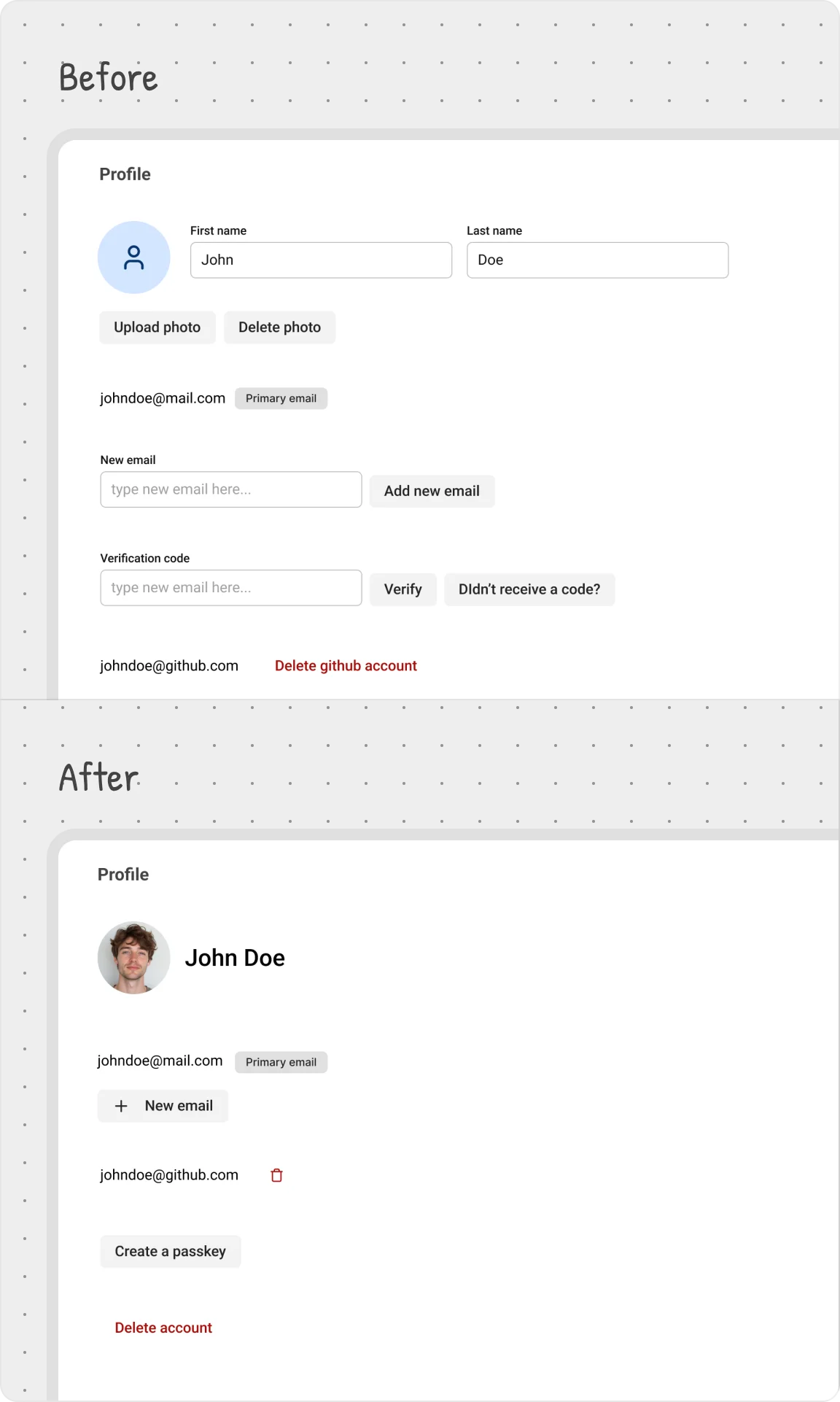
Users want flexibility, but they also want simplicity. If everything is visible at once, the interface feels cluttered and overwhelming. That’s where progressive disclosure comes in—only show what’s essential upfront, and reveal extra details when they’re actually needed.
This keeps the UI clean while ensuring advanced options remain accessible without adding cognitive load.
User settings example
To avoid overwhelming users with too much information at once, we applied progressive disclosure by selectively revealing interface elements at the right moments:
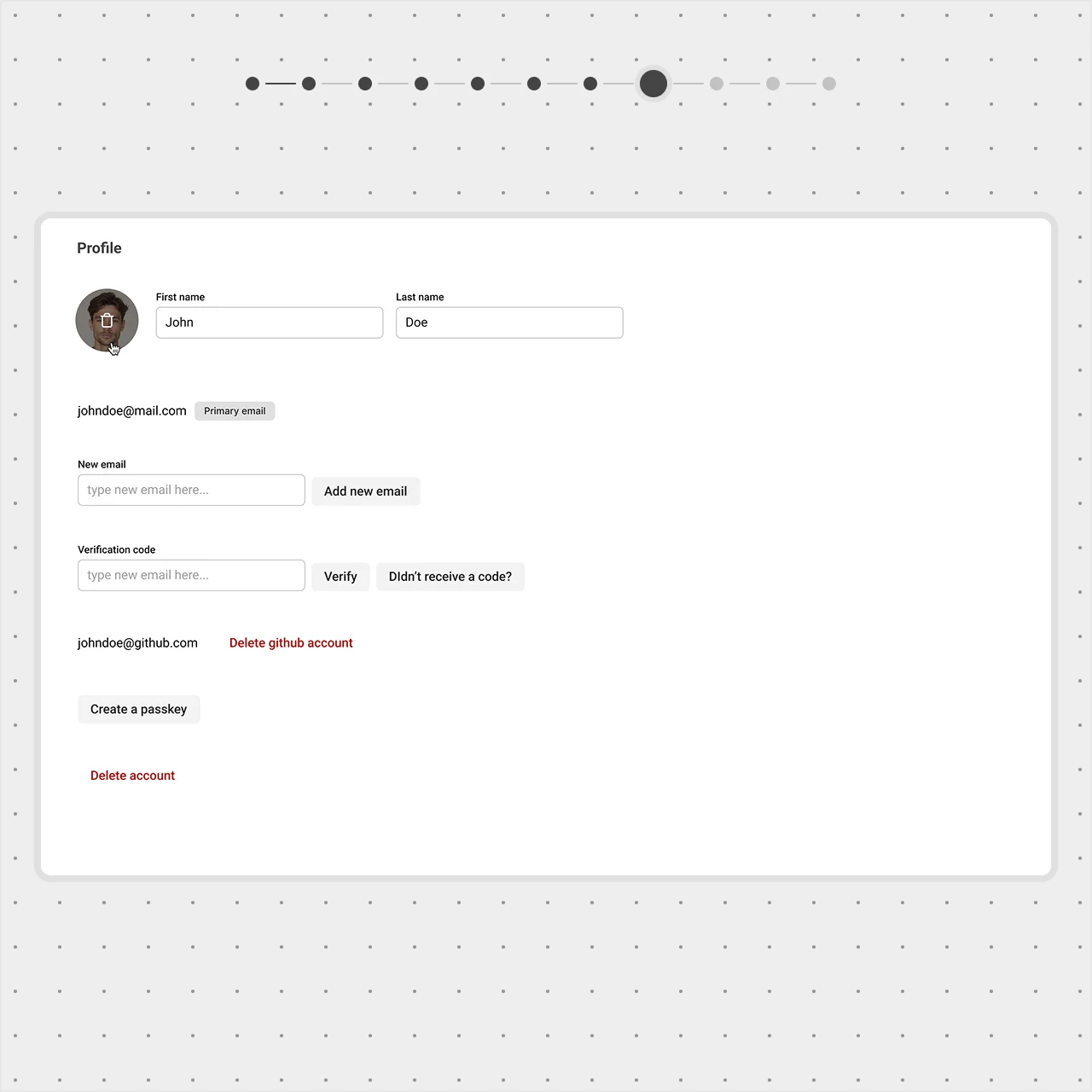
Hiding secondary actions until needed
Instead of always displaying the Upload Photo option, we show it as an icon button on hover over the avatar.


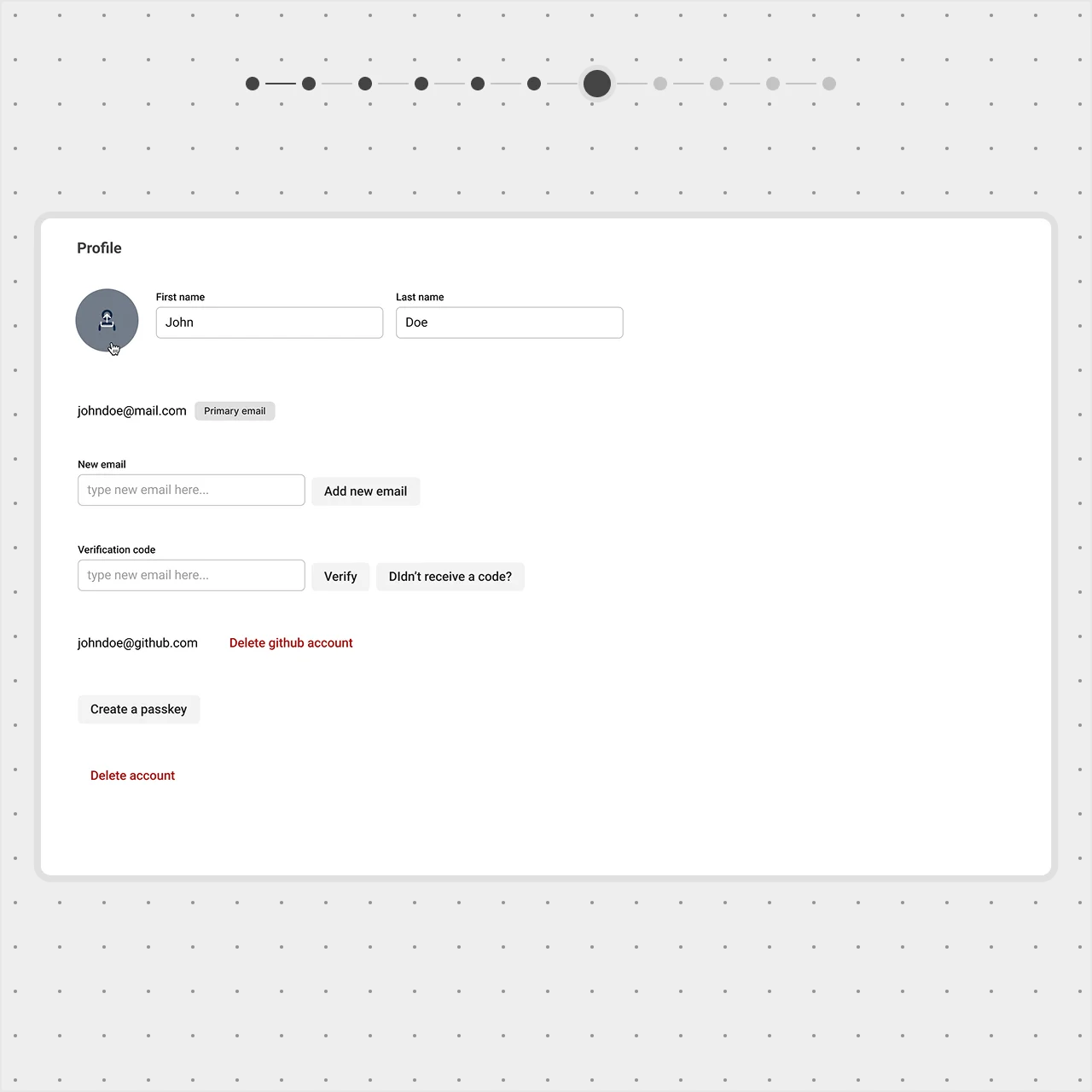
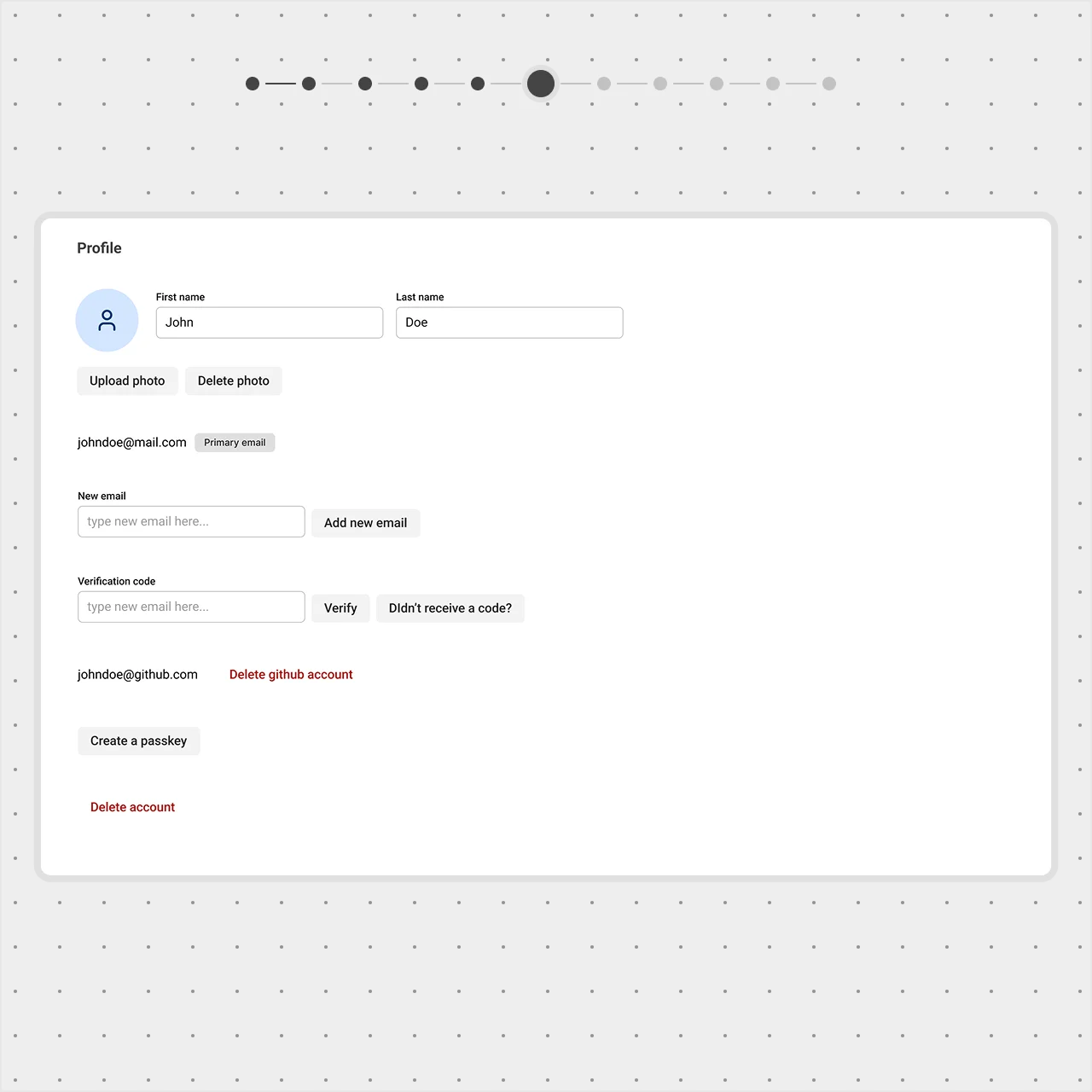
The Delete Photo button only appears when a photo has been uploaded, keeping it out of sight when it’s not relevant.
Reducing redundancy in name fields
- The first and last name fields don’t need labels—users already understand their purpose;
- We combined them into a single field and increased the font size to make the name more prominent;
- A text cursor appears on hover, making it clear that the name is editable.
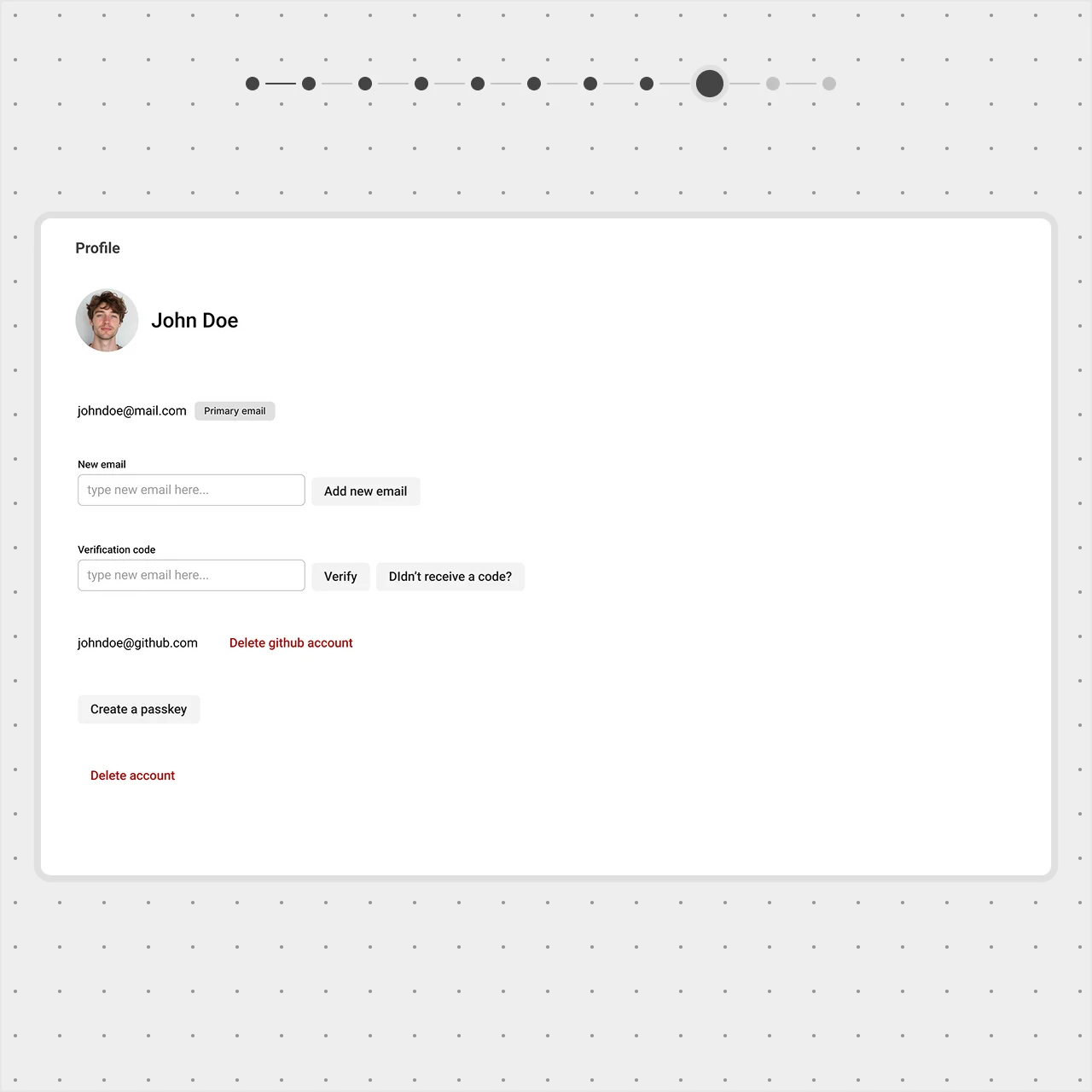
Streamlining email management
- The New Email field stays hidden until the user clicks "Add new email" to keep the form compact;
- The Add new email button was redesigned—"Add" was replaced with a "+" icon for a cleaner look;
- We moved this button closer to the existing email, strengthening its connection to email management.
Pro tip: The brain processes images and icons faster than text, making them a great way to communicate at a glance.
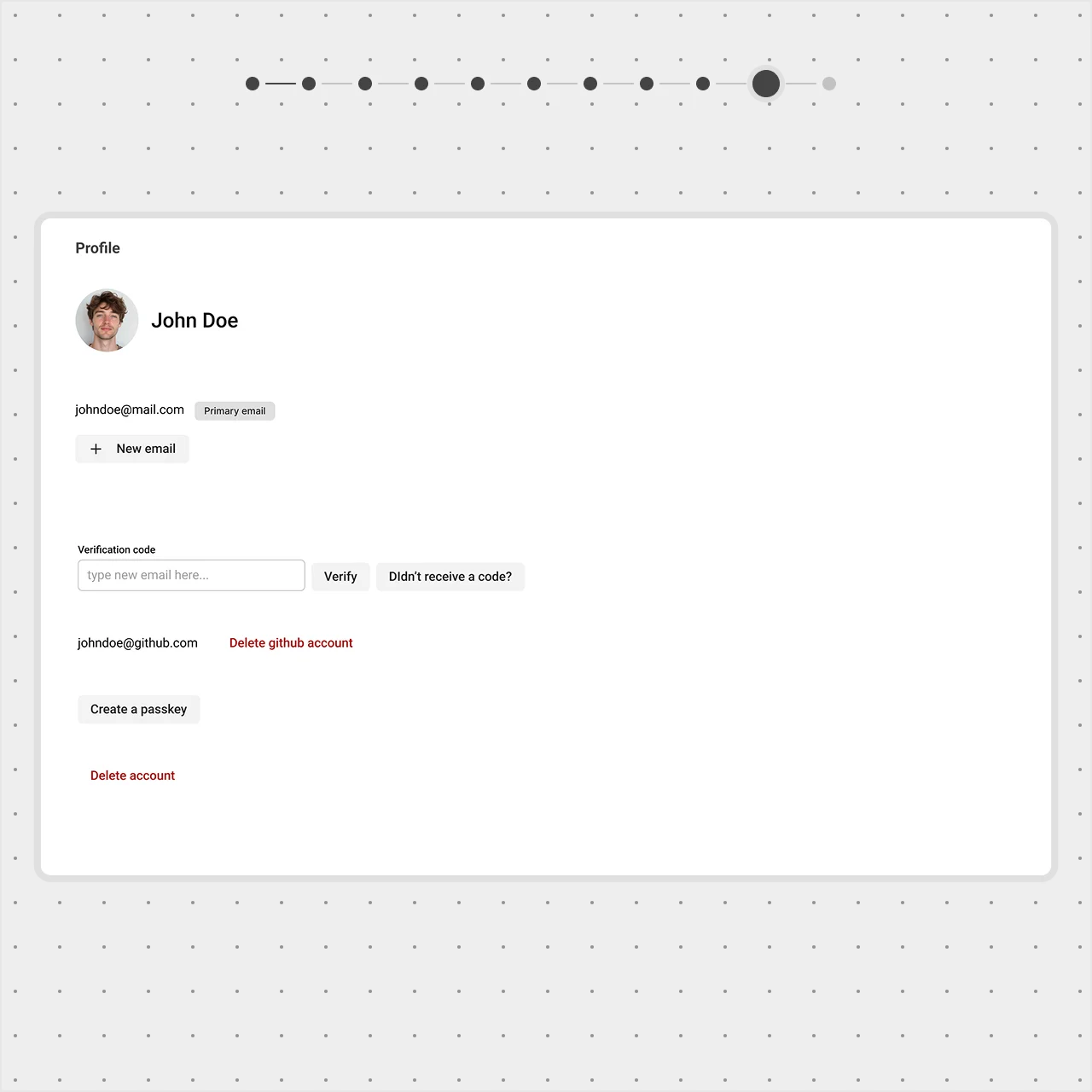
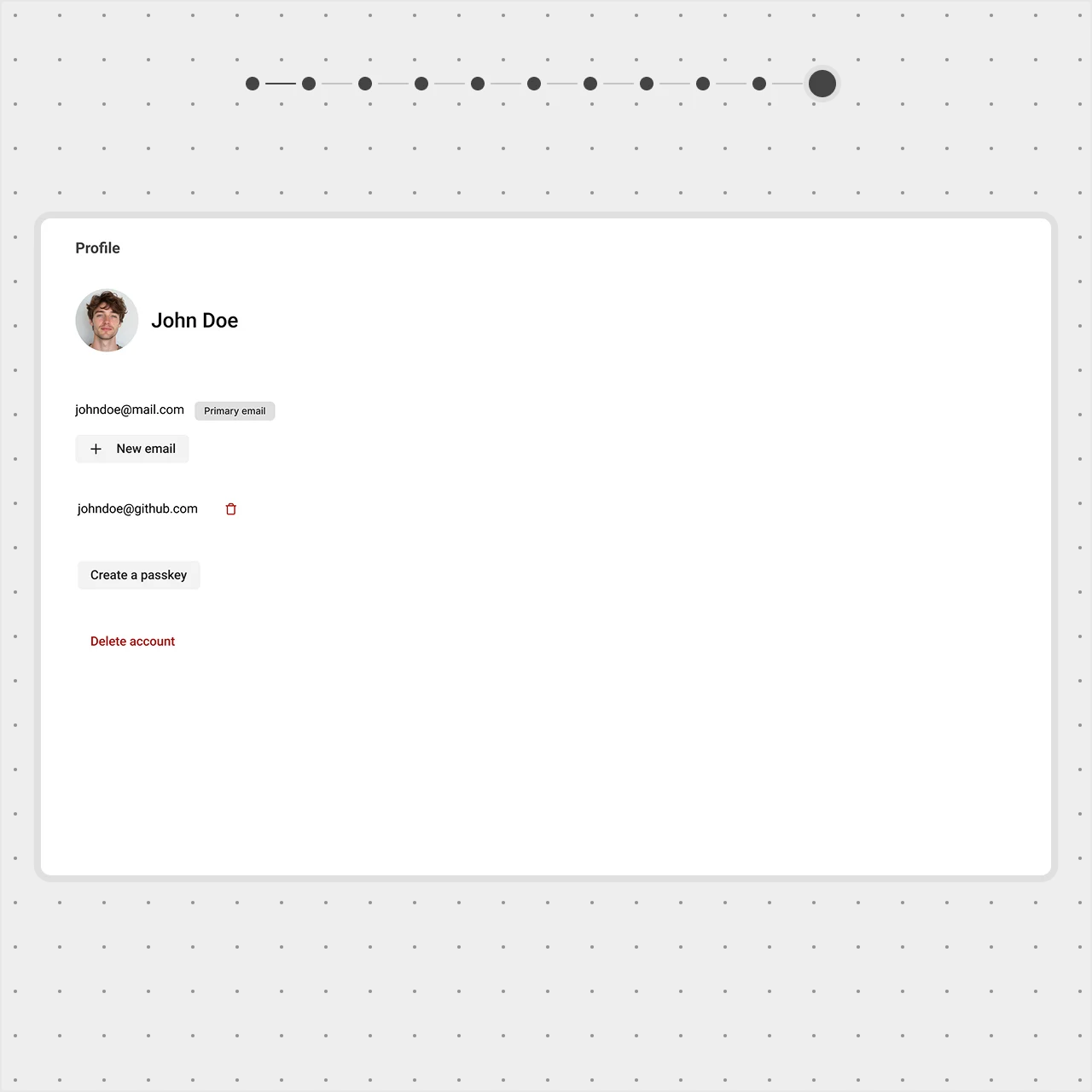
Removing unnecessary fields
- The Verification Code field is hidden until it’s actually needed for email confirmation;
- The Delete GitHub Account button was replaced with a trash can icon, a familiar pattern that keeps the UI clean;
- A tooltip appears on hover, providing clarity without taking up space.
By revealing elements only when necessary, we keep the interface intuitive, focused, and free from distractions.
Conclusion
A well-structured UI isn’t about adding more—it’s about guiding users effortlessly. By applying visual hierarchy, we ensure key elements stand out while secondary details stay in the background. Grouping related elements improves clarity, while progressive disclosure keeps the interface clean and focused.
Each of these techniques works together to create a more intuitive, streamlined experience—one where users can find what they need without distraction or confusion.