Deploy to Cloudflare Pages
This guide walks you through deploying your SvelteKit + Convex app to Cloudflare Pages. Choose between two configuration approaches based on your workflow preferences.
Configure everything through the Cloudflare dashboard UI.
Best for: Quick setup and teams that prefer GUI configuration
Trade-off: Settings aren’t tracked in version control
1. Create a Cloudflare Pages project
Navigate to your Cloudflare dashboard: Compute & AI → Workers & Pages → Create application.
Select Pages → Import an existing Git repository.
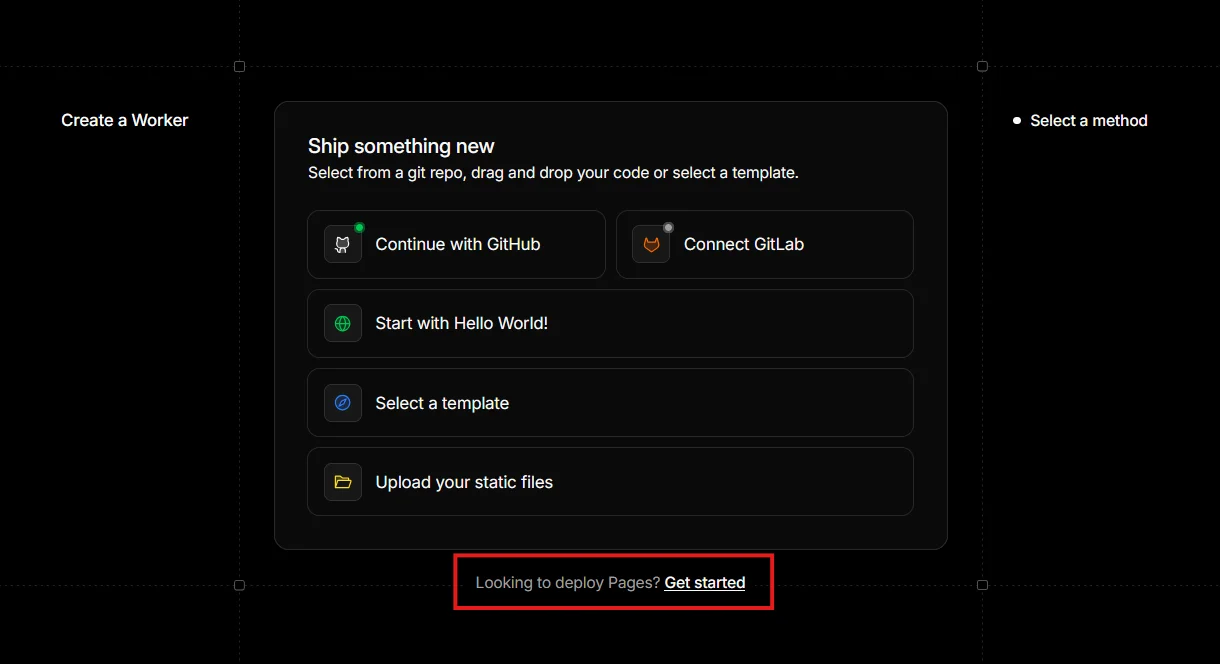
Choose your repository and begin setup.
2. Configure build settings
Set the following:
- Project name: Your desired project name
- Production branch: Your production branch (e.g.,
main) - Build command: Use the command below
- Build output directory:
.svelte-kit/cloudflare
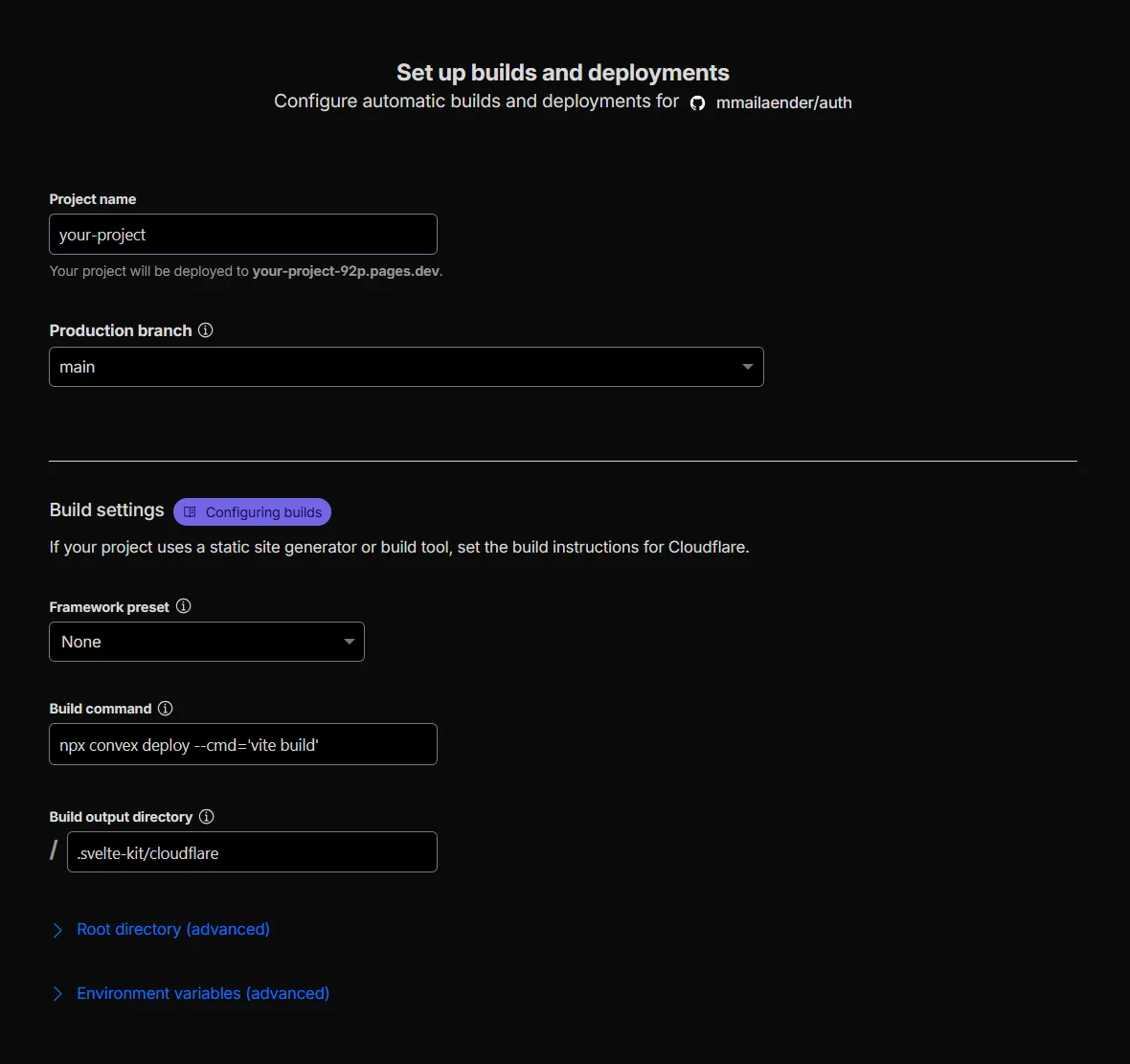
Do not add CONVEX_DEPLOY_KEY during the initial project creation flow. This screen does not support secret values and does not let you set separate values for Production and Preview.
Do not add PUBLIC_CONVEX_URL or PUBLIC_CONVEX_SITE_URL manually at any point. npx convex deploy sets them automatically while running vite build.
Click Save and Deploy.
The first deployment is expected to fail because CONVEX_DEPLOY_KEY and Node.js compatibility are not configured yet. If you see a warning about the node:async_hooks package, that is expected too; you will fix it in step 4.
3. Add Cloudflare environment variables
After the project exists, navigate to Settings → Build → Variables and Secrets.
Use the Choose Environment selector to add the deploy key separately for each environment:
Use Secret as the variable type, then save the variable. Repeat this once for Production and once for Preview.
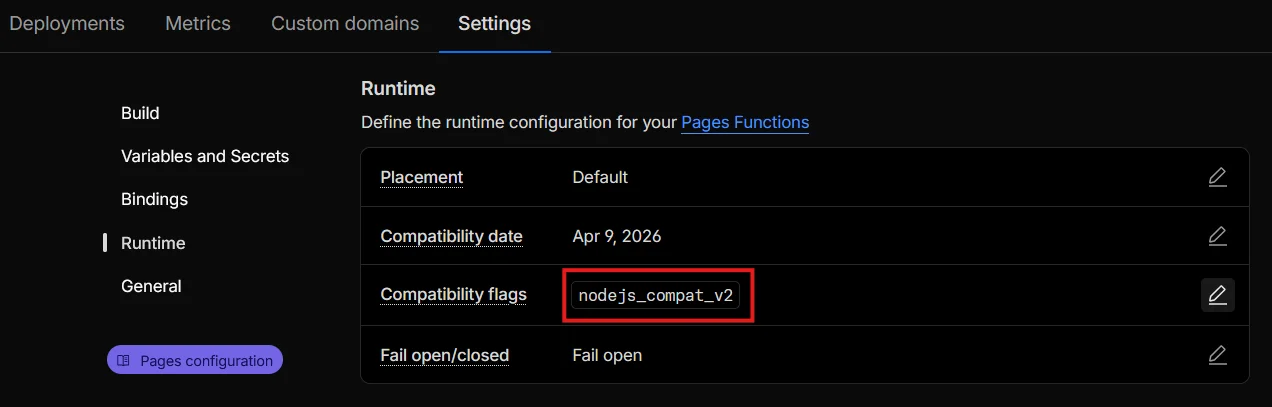
4. Add Node.js compatibility
Navigate to Settings → Runtime.
Add nodejs_compat_v2 as a Compatibility flag and save.
5. Configure Convex environment variables
Preview deployments create fresh Convex backends. Put backend secrets and Better Auth config in Convex, not in Cloudflare Pages.
BETTER_AUTH_SECRET is already set during the SvelteKit setup guide. Keep using the same secret for development and preview defaults so sessions and auth state remain compatible across fresh preview backends.
Set these in Convex:
- Production deployment settings for production-only values
- Project Settings → Environment Variable Defaults for values that should be copied to new development and preview deployments
Set BETTER_AUTH_ALLOWED_HOSTS and BETTER_AUTH_FALLBACK_URL for each environment:
BETTER_AUTH_ALLOWED_HOSTS is a comma-separated list. Keep it explicit and only include trusted hosts. For Cloudflare Pages previews, prefer your project-specific *.acme.pages.dev pattern or a custom preview domain instead of trusting broader shared domains. For production, use exact domains such as acme.com and www.acme.com; only add *.acme.com if every subdomain should be trusted.
This follows Better Auth’s dynamic base URL model, where allowedHosts is an allowlist of exact hosts and wildcard patterns. See Dynamic Base URL for the full host pattern behavior.
Dynamic hosts are still used for real auth requests from trusted hosts. The fallback is only used when Better Auth is called from backend work that has no incoming app request, such as Convex queries, mutations, triggers, scheduled functions, and device authorization.
BETTER_AUTH_BASE_URL_PROTOCOL is optional. Better Auth can derive the protocol automatically in most deployments. Only set it if you need to force http or https.
Depending on which auth features you enable, add the corresponding Convex environment variables as well so preview deployments inherit them. This includes features such as email, magic links, OTP, and social providers. See /docs/auth/features.
After all five steps are complete, return to Deployments and use Retry deployment, or push a new commit to trigger a fresh deployment.
Your app should now be live on Cloudflare Pages. Future deployments will happen automatically when you push to your configured branch.
How preview deployments work
When Cloudflare runs the build command for a preview branch:
- Convex reads the preview
CONVEX_DEPLOY_KEY - Convex reads
CF_PAGES_BRANCHfrom Cloudflare Pages and uses it as the preview deployment name - Convex runs your frontend build with
PUBLIC_CONVEX_URLandPUBLIC_CONVEX_SITE_URLset to that preview backend - Your preview site and Better Auth flows talk to the matching Convex preview deployment