Deploy to Vercel
This guide walks you through deploying your SvelteKit or Next.js + Convex app to Vercel.
1. Create a new project
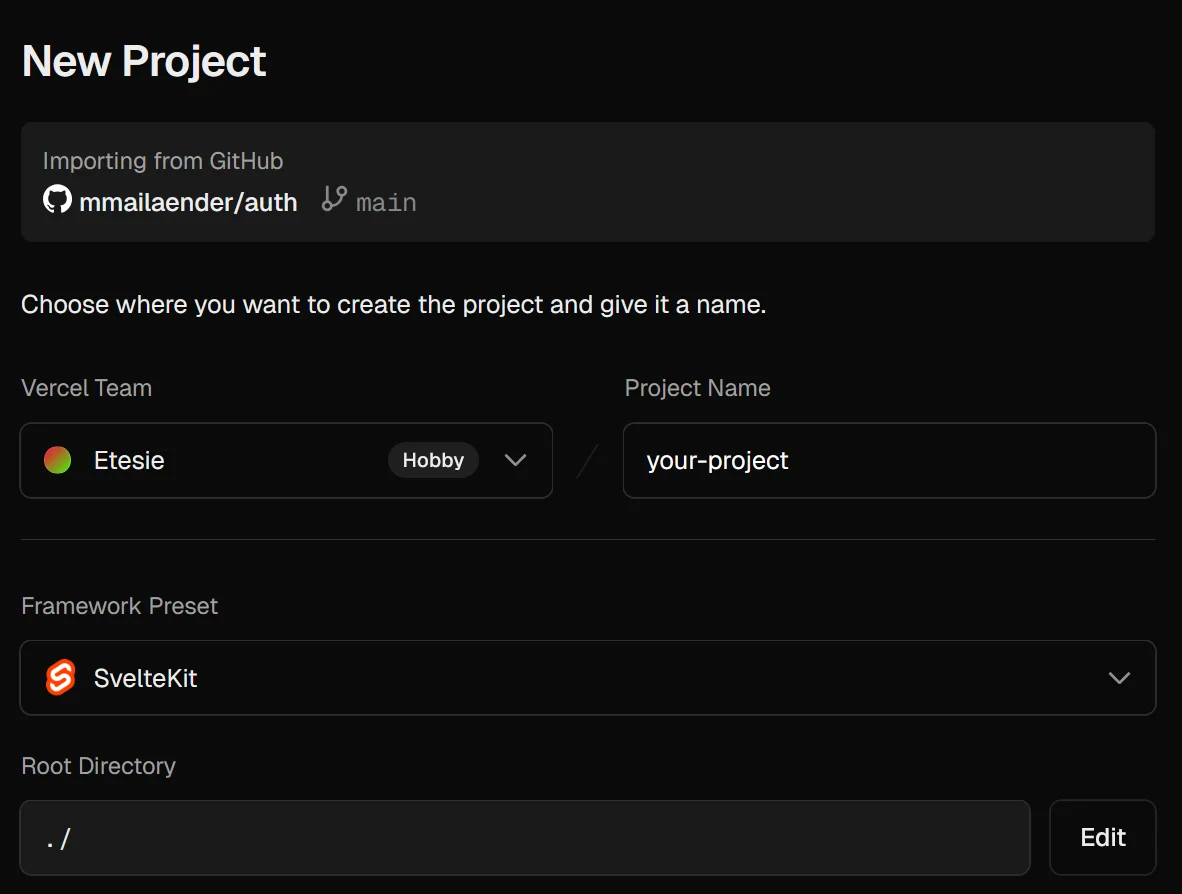
Navigate to your Vercel dashboard and click Add New… → Project and import your Git repository.
2. Configure build settings
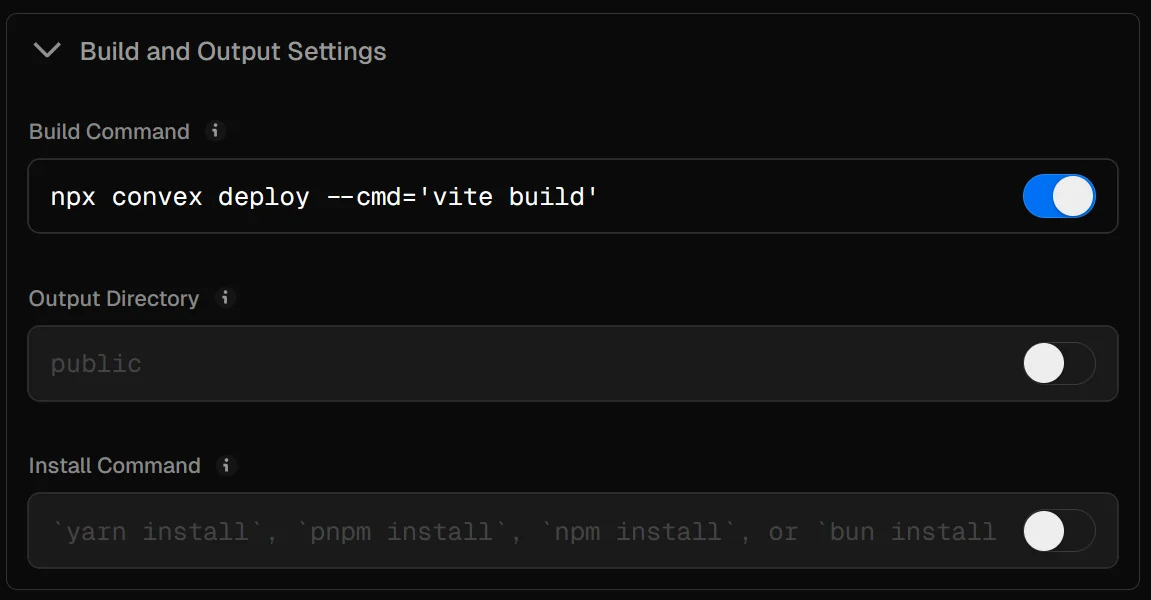
Set the following for your framework:
- Project name: Your desired project name
- Framework preset: Select SvelteKit or Next.js
- Build command: Override with the matching command below
Convex automatically injects the matching Convex URL and site URL environment variables into the nested build for both SvelteKit and Next.js.
3. Add environment variables
Add only the deploy keys in Vercel:
- Add the production deploy key for the Production environment.
- Add the preview deploy key for the Preview environment.
- Do not add
PUBLIC_CONVEX_URLorPUBLIC_CONVEX_SITE_URLin Vercel.npx convex deploysets them automatically while running the build.
4. Configure Convex environment variables
Preview deployments create fresh Convex backends, so backend secrets and Better Auth config must exist in Convex itself.
BETTER_AUTH_SECRET is already set during the setup guide. Keep using the same secret for development and preview defaults so sessions and auth state remain compatible across fresh preview backends.
Set these in Convex:
- Production deployment settings for production-only values
- Project Settings → Environment Variable Defaults for values that should be copied to new development and preview deployments
Set BETTER_AUTH_ALLOWED_HOSTS and BETTER_AUTH_FALLBACK_URL for each environment:
BETTER_AUTH_ALLOWED_HOSTS is a comma-separated list. Keep it explicit and only include hosts you trust. Avoid broad shared-domain patterns such as *.vercel.app; prefer your project-specific Vercel preview pattern or a custom preview domain. For production, use exact domains such as acme.com and www.acme.com; only add *.acme.com if every subdomain should be trusted.
This follows Better Auth’s dynamic base URL model, where allowedHosts is an allowlist of exact hosts and wildcard patterns. See Dynamic Base URL for the full host pattern behavior.
Dynamic hosts are still used for real auth requests from trusted hosts. The fallback is only used when Better Auth is called from backend work that has no incoming app request, such as Convex queries, mutations, triggers, scheduled functions, and device authorization.
BETTER_AUTH_BASE_URL_PROTOCOL is optional. Better Auth can derive the protocol automatically in most deployments. Only set it if you need to force http or https.
Depending on which auth features you enable, add the corresponding Convex environment variables as well so preview deployments inherit them. This includes features such as email, magic links, OTP, and social providers. See /docs/auth/features.
5. Deploy
Click Deploy to start your first deployment.
Your app should now be live on Vercel. Future deployments will happen automatically when you push to your configured branch.
How preview deployments work
When Vercel runs npx convex deploy --cmd='vite build' or npx convex deploy --cmd='next build' for a preview build:
- Convex reads the Preview
CONVEX_DEPLOY_KEY - Convex creates or updates a branch-specific preview backend
- Convex runs your frontend build with the Convex URL and site URL set to that preview backend
- Your preview site and Better Auth flows talk to the matching Convex preview deployment